


Inside the article
Key Takeaways
- 47 percent of digital workers struggle to find the information they need for their jobs. That is not a content problem. It is an organization problem.
- Organize around how users phrase questions, not how your internal team categorizes topics. The two are almost never the same.
- Content decay kills adoption faster than any other factor. Without named owners and review dates, every article is an accident waiting to mislead someone.
- Search quality is non-negotiable. 73 percent of organizations have no enterprise search tool, which means employees guess, give up, or ask a colleague instead.
Summarise this blog for me
Too busy to read the full article? Get a quick summary in your preferred AI tool.
Introduction
Most teams build a knowledge base with the best intentions - document everything, pick a platform, spend a month importing content. Six months later, the search returns stale results, nobody knows which articles are still accurate, and employees are back to asking colleagues directly. The knowledge base became the problem it was supposed to solve.
The tool is almost never to blame. A platform does not decay on its own. What decays is the structure behind it - the categories nobody revisited, the articles nobody owns, the review process nobody set up. This guide covers how to organize a knowledge base so that does not happen.
What makes a knowledge base easy to use
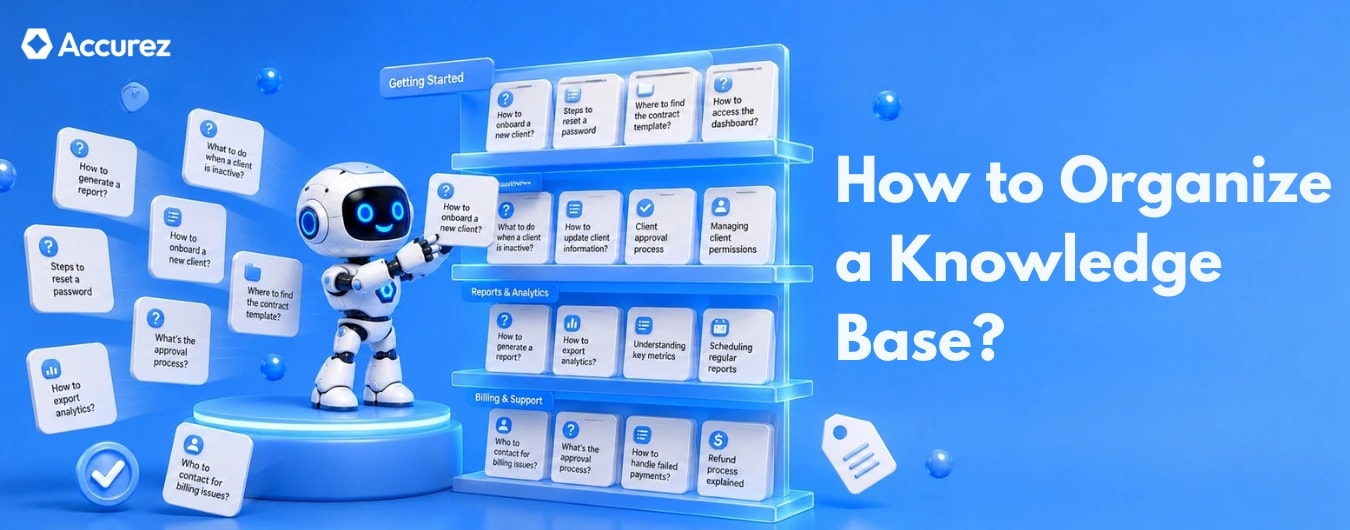
Organizing around user questions, not internal structure
The most common structural mistake is building categories around how your team labels topics internally rather than how employees search for answers. Your team calls it Engineering Operations. The new hire calls it how do I get laptop access. Those are not the same search.
Category names should match the questions users actually ask. 'Getting started' outperforms 'Onboarding documentation'. 'Fix a billing issue' outperforms 'Finance and accounts'. The test is simple: would a new employee use that exact phrase when looking for this information? If not, rename the category.
Start with your ten most common support tickets or internal questions from the last 90 days. Those become your first ten articles and should shape your top-level category structure.
Why most knowledge bases fail
The failure mode is predictable. Teams upload everything they can find without a clear structure or governance model. Content piles up. Gartner research shows 47 percent of digital workers struggle to find information needed for their jobs - not because the information does not exist but because they cannot locate it. Trust drops. Adoption collapses. The result is a system employees learn not to trust - and eventually stop opening.
These failures rarely happen for just one reason - our breakdown of common knowledge management challenges covers the other patterns that quietly kill adoption alongside poor organization.
Common mistakes to avoid before you start
Overloading users with too much information
Every article should answer one question. Not one topic, one question. An article titled 'HR Policies' is not an article - it is a category. Break it into 'How to request annual leave', 'How to update your bank details', 'What to do if you are ill'. Each article should be findable by its specific question.
When articles cover too much ground, users cannot tell from the title whether the answer they need is inside. They skip it and ask a colleague instead.
Letting content go stale
An employee who finds outdated guidance and acts on it does not blame themselves. They blame the system. After two or three experiences like that, they stop using it entirely.
Every article needs a review date set before it is published. Quarterly for fast-changing content. Annually for stable content. When the date passes without a review, the article should be flagged automatically rather than left live with no signal it may be outdated.
Ignoring user feedback and search data
Users tell you what is wrong every time they search and find nothing useful, every time they submit a ticket for something that should have an article, and every time they repeat the same search without resolution.
Poor navigation and weak search
Navigation and search serve different users. Browsing works when someone roughly knows where something lives. Most employees do not have that luxury, and weak navigation just adds friction on top of search that already fails them. 73 percent of organizations have no enterprise search tool.
A search function that only matches exact keywords is not good enough. If an employee types 'how do I reset my password' and the article is titled 'account authentication process', they find nothing. Semantic search - which matches intent rather than keywords - is now the standard expectation, not a premium feature.
How to organize a knowledge base step by step
Define your goals and target audience
Before organizing anything, answer two questions: who is this knowledge base for, and what specific problems should it solve? 37 percent of knowledge base projects fail due to unclear objectives. An internal knowledge base for a support team has different structure requirements than an external self-service portal for customers.
If you have not yet defined your broader knowledge management strategy, that decision should come first - our guide on building a knowledge management strategy covers how to choose between documentation-first and people-first approaches before you touch a single category.
Write one sentence that describes the primary user and their most common need. 'This knowledge base helps support agents resolve tier-one tickets without escalation' is specific enough to make every subsequent structural decision easier.
Collect and audit existing information
Before building any structure, inventory what already exists: shared drives, wikis, email threads, Slack channels. Map where knowledge lives, who created it, and when it was last updated.
This step is skipped constantly. Teams that skip it spend their first six months cleaning up outdated, duplicated content. The audit takes less time than the cleanup.
Build a logical category and content structure
Start with three to five top-level categories. Each represents a distinct user goal. Articles sit under them, organized by specific questions, not document types.
Choose the right contributors
Contributors should be the people closest to the questions: support agents, team leads, subject matter experts. Not leadership. Not the person with the most seniority. The people fielding the same question daily are the ones who can document the answer fastest and most accurately.
Define who owns which content areas before anyone writes a single article. Open contribution without ownership produces gaps and inconsistency.
Write clear and consistent content
Every article title should be a question or a direct instruction. 'How to submit an expense report' is a good title. 'Expense Reporting' is a category name, not an article title. The title should tell the user in one line whether this article answers their question.
Label, tag, and optimize for search
Tags extend the findability of your articles beyond their primary category. An article about expense reporting might sit under Finance but should be tagged with 'reimbursement', 'receipts', 'travel costs', and any related terms employees commonly use. Three to five tags per article is the right range - more than that dilutes the signal.
Article titles should use the language your users use, not the language your internal documentation uses. Check your failed search queries before writing titles. If employees search 'how do I take time off' and your article is titled 'Annual Leave Policy', rename the article.
Set up a review and update process
Assign a named owner before every article is published. If the owner leaves, ownership transfers to their replacement - not to nobody.
Keep the process lightweight. Three approvals to update a single article means nobody will update anything. One reviewer, one approval, one review date is enough.
How to choose the right knowledge base platform
Core features to evaluate
Three features actually determine whether a knowledge base gets used: search speed and accuracy, ease of publishing and updating, and whether the permission model fits your access requirements.
Search, AI, and automation capabilities
Confirm semantic vs keyword search and test on your own content. AI features worth evaluating: gap detection, draft generation, and automated review reminders.
Security, permissions, and scalability
Role-based access control is non-negotiable for sensitive content. Confirm the platform lets you define permissions at the article or category level, not just system-wide.
For regulated industries, data residency matters as much as features. Cloud-hosted means your content lives on a third-party server. Self-hosted means it never leaves your own infrastructure.
Cost and integration with existing tools
A knowledge base inside the tools employees already use gets used. One that requires switching context gets bypassed. Evaluate integrations with Slack, CRM, helpdesk, and Teams before committing.
Total cost includes implementation, migration, maintenance, and the ongoing staff time required to keep content current. A platform that makes publishing difficult will simply not get used, regardless of price.
Get instant answers from your documents
How to measure if your knowledge base is working
Usage metrics and search analytics to track
Four metrics matter. Search success rate - percentage of searches that end with an article click - should be above 70 percent. Failed searches should be reviewed monthly and the top ten converted into new articles. Content freshness below 60 percent is a maintenance problem. And a flat or declining active user rate signals adoption failure, not content quality.
These metrics also form the foundation of any ROI case you build for leadership - our guide on measuring knowledge management ROI shows how to convert these numbers into a budget-winning argument.
Gathering user feedback consistently
A thumbs-up, thumbs-down rating on every article surfaces which content is not landing. Low ratings almost always mean the article needs rewriting, not removing. Someone searched, found this article, and left unsatisfied. That tells you the topic needs better coverage, not less.
Three quarterly survey questions: can you find what you need, do you trust it, and what is missing? Ten minutes to collect. More useful than a month of analytics.
When and how to run a full content audit
Run a full audit every twelve months and after major organizational changes. Every article gets reviewed for accuracy, relevance, and ownership. Anything that fails gets updated, merged, or archived.
The audit is also when you revisit category structure. User needs shift. A category that made sense at launch may not match how employees think about the same topics a year later.
Conclusion
A well-organized knowledge base does not happen by accident. It happens because someone made deliberate decisions about structure, ownership, and maintenance and kept making them.
Start with the audit. Name an owner for every article. Build categories around the questions users actually ask. Measure the four metrics. Everything else follows.
Looking for AI knowledge base software that gets organization right from day one? Accurez helps teams structure content around real questions, search faster with AI, and keep full control over their data on their own servers.

Mohamed Nizamudeen
Mohamed Nizamudeen writes about AI and knowledge management, with a focus on RAG systems and how businesses use them to build smarter knowledge bases. He writes for business owners and product teams who want to understand how modern knowledge bases work and how to get the most out of them.
Get instant answers from your documents
See Accurez for yourself
Come with questions and meet the people behind the product.